

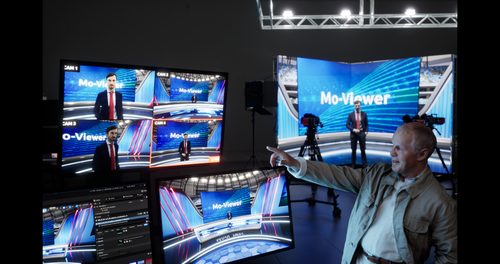
Mo-Sys MoViewer integrates with existing studio infrastructure to revolutionise VP for multi-camera projects. This cost-effective solution maximises creative choice without technology constraints and eliminates the need for expensive per camera render nodes.
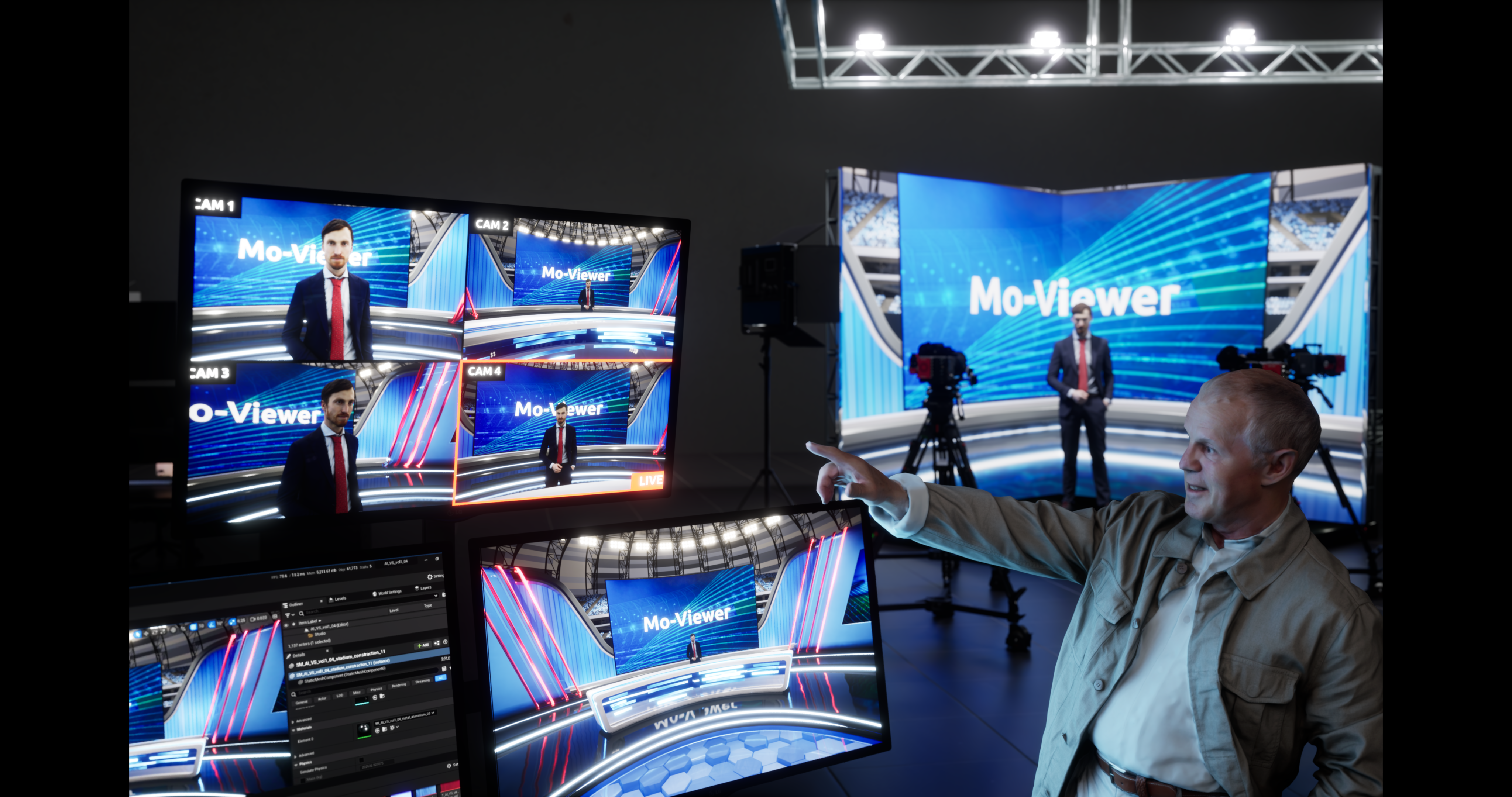
MoViewer is a powerful feature of VP Pro XR. It automatically re-composites the correct perspective view of off-air cameras and is compatible with all leading broadcast and cine cameras, LED controllers and panels.

Using Mo-Sys’ patent pending machine learning, MoViewer generates real-time AI-assisted director previews and supports any number of cameras per system while eliminating the need for multiple render nodes.

MoViewer brings a traditional multi-camera workflow to LED virtual studios with unrestricted creative controls. For the first time, directors can see the correct perspective view of off-air cameras before switching within a limitless XR environment.

MoViewer offers creatives full artistic choice of shutter speeds and exposure, empowering them to express their vision without restrictive technical limitations.

MoViewer focuses on multiview broadcast and real-time XR preview, it can be part of wider virtual production and XR broadcast setups that use automation on top of its feeds. Its accurate XR context makes it a reliable foundation for any broadcast multiviewer virtual production workflows.
MoViewer is designed to work within LED wall virtual production and LED virtual production stages, providing correct-perspective previews of cameras in the XR environment. This helps directors and technical teams manage multi-camera production on LED volumes and mixed reality studio sets.
Yes, MoViewer supports single-camera setups but is primarily beneficial for multi-camera virtual production monitoring. It helps directors preview and coordinate shots across multiple cameras in XR studios and LED virtual production stages.
By providing clear, context-aware multiview broadcast monitoring, MoViewer streamlines camera switching and framing decisions in LED volume workflows. This improves XR studio efficiency and helps maintain consistent quality in broadcast virtual production.
MoViewer complements StarTracker camera tracking, VP Pro virtual production software and Mo-Sys robotics by adding dedicated monitoring and multiview broadcast functionality. Together, these XR Solutions form a complete virtual production pipeline from capture through real-time compositing and monitoring.
Unlike traditional multiview broadcast systems that only show SDI feeds, MoViewer can reflect XR context and virtual studio set perspectives. This real-time XR preview capability enhances monitoring for virtual production workflows where camera feeds are composited with Unreal Engine broadcast graphics and AR virtual production software.
MoViewer acts as a broadcast multiviewer tailored to XR studio workflows, showing off-air cameras so directors can make informed switching decisions before going live. This multiview broadcast capability ensures consistent framing and composition across XR broadcast and LED volume workflow setups.
Yes, MoViewer is part of the Mo-Sys virtual production ecosystem and integrates with VP Pro XR Multi-cam workflows. This allows multi-camera XR production monitoring, real-time XR preview and seamless control of virtual studio software components within the same ecosystem.
Yes, MoViewer is specifically designed to support multi-camera production, providing a familiar broadcast multiviewer interface for directors working in XR studios. This makes it ideal for broadcast virtual production, LED volume workflow setups and multi-camera XR broadcasts.
MoViewer is a multiview broadcast virtual production tool that brings traditional multi-camera monitoring workflows into virtual production studios. It provides live camera previews with correct perspective in XR environments, supporting multi-camera production on LED volumes and virtual studio sets.
We are committed to providing unrivalled support and service, ensuring we maintain an ongoing relationship with our clients that keeps us fully engaged. For more information about how we can help your project, please contact us using the details below.
Call Us Email Us Send Us A MessageUse the contact form to let us know you’re interested in our products and someone from our helpful team will get back to you.


